

To make World of Warcraft a little more enjoyable, players can use a whole range of modifications that change all sorts of things – so-called addons. We'll show you the three best addons for each of the different areas in Dragonflight.
For new players, iGVault has got you covered with the cheap and fast WOW Gold to help you immerse yourself in this game even faster.
Addon List for Dragonflight: Addons in WoW serve the purpose of providing players with additional information, making the game more comfortable for them, or simply passing the time. However, for some areas such as PvP or raids, there are some helpers that are a must have
, both for the entry and for the endgame.
However, with Dragonflight came sweeping UI changes that have made some addons obsolete. You don't need expansions like Dominoes, Bartender and Bagnon anymore, you can now do it all via the internal interface.
The Best Addons for Dungeons and Raids in Dragonflight
Player versus environment
(PvE) content makes up most of every WoW expansion. In dungeons and raids, it's important to be well prepared. With our top 3 you have the ideal basis.
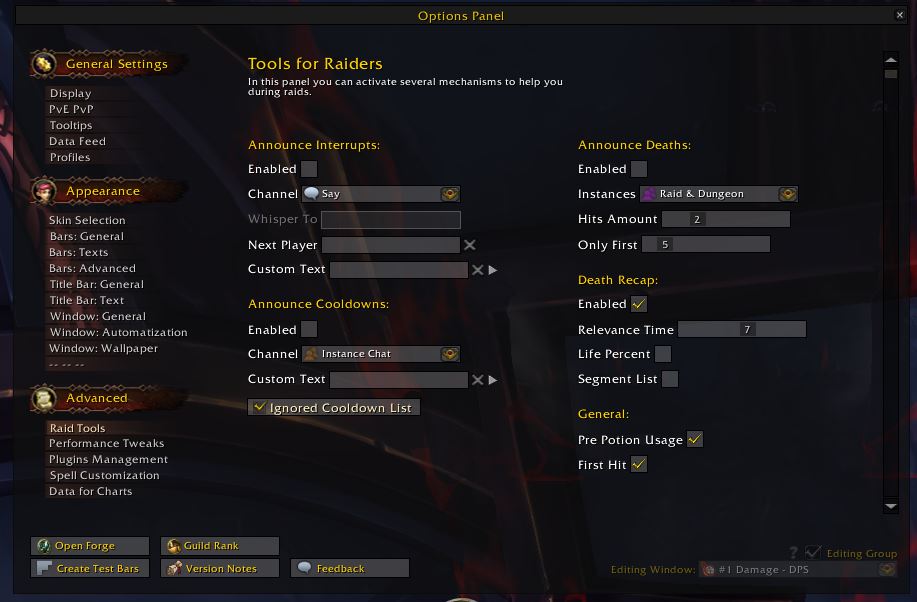
Details! Damage Meter
A damage meter shows you how much damage or healing you've done and how your party compares to it. Such data is important, among other things, for the analysis of battles or for one's own improvement.
Details! offers the most settings of all damage meters with the lowest memory consumption. You can see who died of what, which enemy took the most damage from which abilities, or was interrupted, without losing in-game performance.
- Go to the Curse page of Details! Damage Meter
- alternatively, you can use Skada, which offers similar features: to Skada on Curse
Deadly Boss Mods
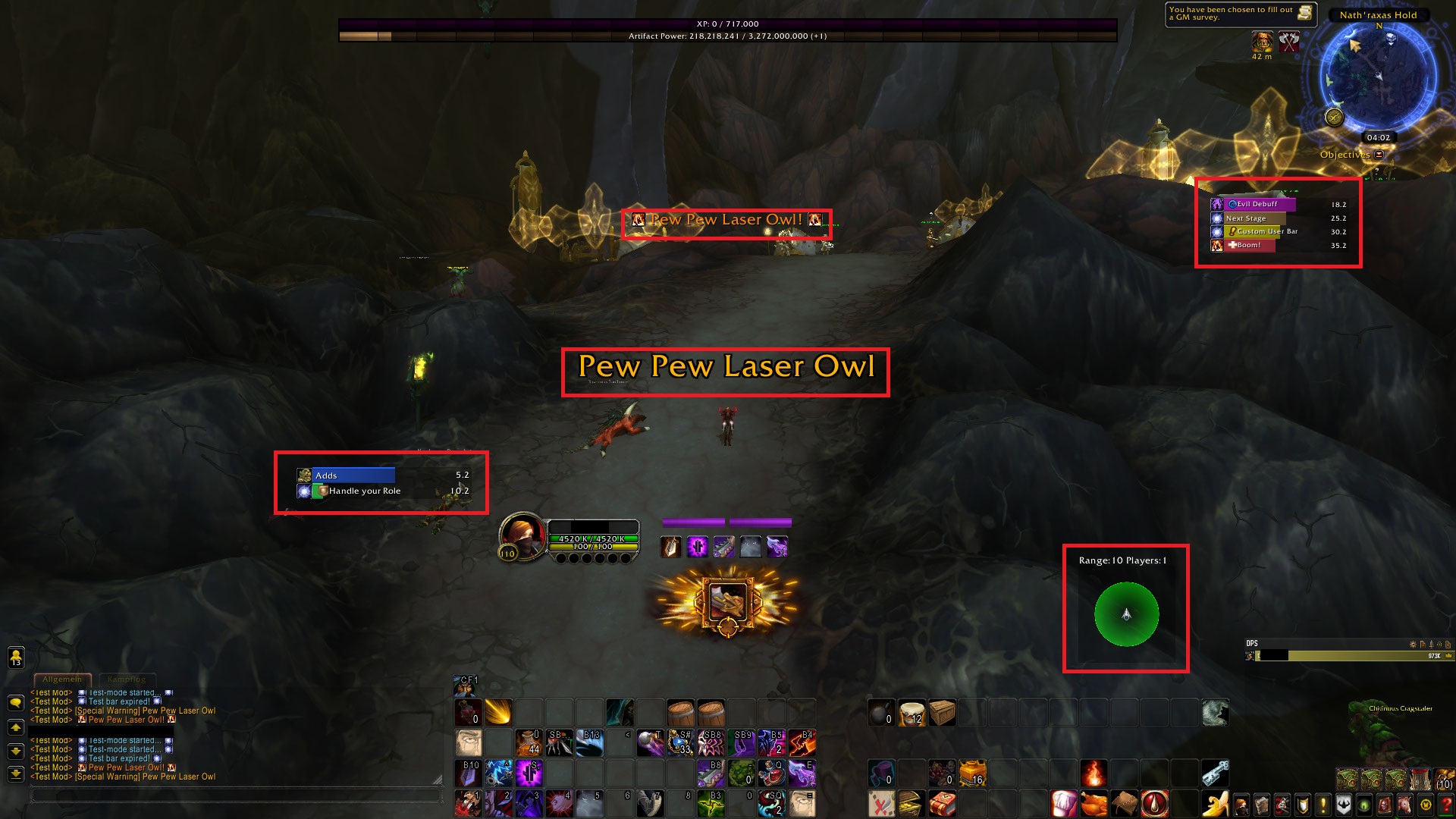
Deadly Boss Mods (DBM for short) is a kind of easy mode
for all kinds of battles in dungeons and raids. Boss Mod Addons tell you which abilities bosses cast and give you hints on how to deal with them. Even professional guilds resort to such addons.
DBM also in some cases distributes raid icons to specific players when they have tasks to complete. For the most part, the messages displayed are self-explanatory and make many fights much easier and more enjoyable.
In many guilds and groups, boss mods are an absolute must, without which you won't be taken along. A popular alternative to DBM is BigWigs, which is also commonly used in raids.
- Go to DBM's Curse page
- Go to BigWigs' Curse page
WeakAuras 2
WeakAuras 2 is a little more complicated than other addons. It's a kind of sandbox that allows you to view just about anything. You can use WeakAuras to create your own gauge that gives you information about cooldowns or abilities.
WeakAuras can highlight your own abilities as well as those of enemies. There are pre-made auras for bosses and classes or specializations that you can even share with your party. The training is a bit time-consuming, but it's worth it – a must-have addon for many raids.
By the way, WeakAuras was restricted by Blizzard because it was too strong. But you can still use the addon.
- Go to the Curse page of WeakAuras 2
In the meantime, it has become a bit more complicated to write auras in such a way that they do what they are supposed to do – at least when they become more complex. You'll find a lot of ready-made auras to import on wago.io.
Pawn
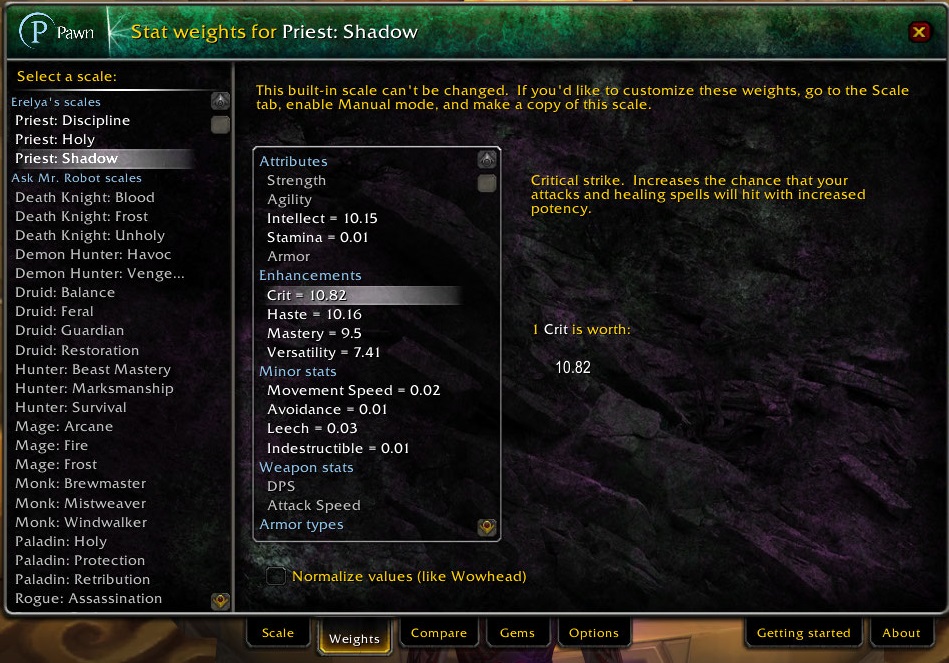
The function of Pawn is quite simple: the addon compares two items and tells you how much stronger or weaker a corresponding piece of equipment is. Or more simply, Pawn tells you which item you should wear.
You can rely on predefined values, or feed the addon with your own values, which you determine beforehand through simulations - for example via raidbots. Many raiders swear by Pawn and maintain their profiles every time something shifts in their stats.
- Click here for Pawn on Curse
The best addons for leveling in Dragonflight 2024
Dragonflight raises the maximum level to 70 and changes the leveling significantly. The path to level 60 is now so short that some players only need about three hours to do it. The amount of experience required has been greatly reduced, making it easier for you to bring in secondary characters.
There are countless addons for WoW that are supposed to make leveling easier or faster. We've picked out three addons for you that will give you a few advantages on your way to the maximum level or make everything more enjoyable.
Azeroth Pilot Reloaded
Probably the most popular addon for leveling and questing in WoW is the Azeroth AutoPilot, or in the new version: Azeroth Pilot Reloaded. In a nutshell, the addon is designed to simply turn off your brain and start playing.
Instead of having to laboriously read all the quests and think about where you have to go now, the addon gives you the current goals, shows the direction with an arrow and even automatically accepts or turns in quests.
Caution: it's possible that Blizzard sees autopilot as too strong
, as was the case with WeakAuras. We don't anticipate that you will be banned from using it, but features may be limited in the future.
- Go to Azeroth Pilot Reloaded's Curse page
RareScanner
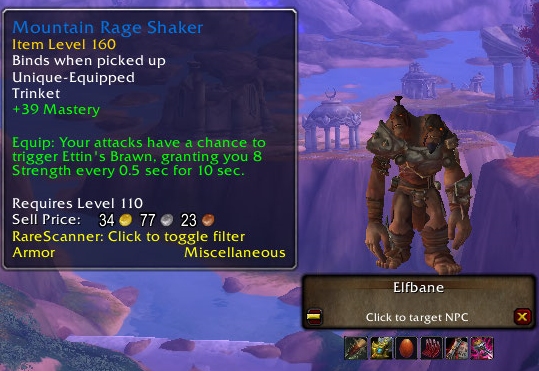
Probably the most useful addon for leveling and also for later is RareScanner. The addon will tell you when you have a rare enemy (Raremob) nearby and provide you with information about what you can loot from them. To do this, RareScanner distributes symbols on the map to mark locations.
You can select a found NPC directly from the add-on interface. Raremobs reward you with special loot or even a big chunk of experience, which makes RareScanner especially helpful for leveling.
- Go to RareScanner's Curse page
- alternatively: SilverDragon on Curse does more or less the same task
By the way: rare enemies are traditionally marked with a silver dragon. He almost disappeared after 18 years of WoW.
The best addons for PvP
With Dragonflight, the conflict between the Horde and the Alliance takes a back seat, but it's still there, especially in open PvP.
Who plays with which addons in PvP is highly subjective – but our top 3 will give you a solid foundation if you want to start or improve.
Gladius
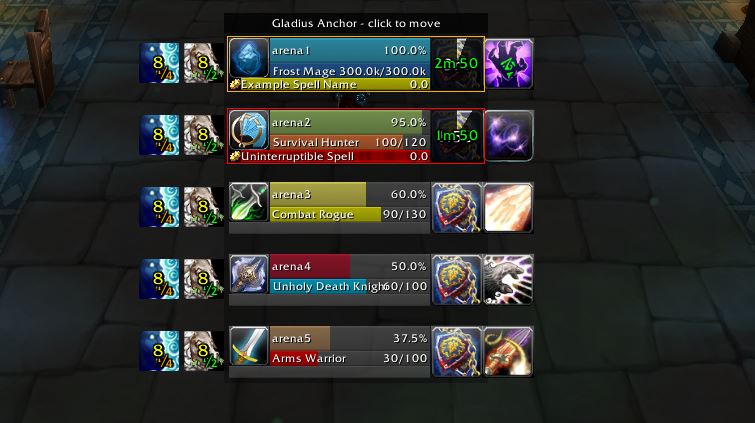
One of the most important and probably the most important PvP addon is Gladius. The addon helps you keep track of when you're in a battle with other players in the arena.
Gladius gives you information about your opponents' PvP talents, specialization, health, and resources. You can set Gladius yourself to adjust the size and information to your needs, or use default settings.
- Go to Gladius' Curse page
OmniBar
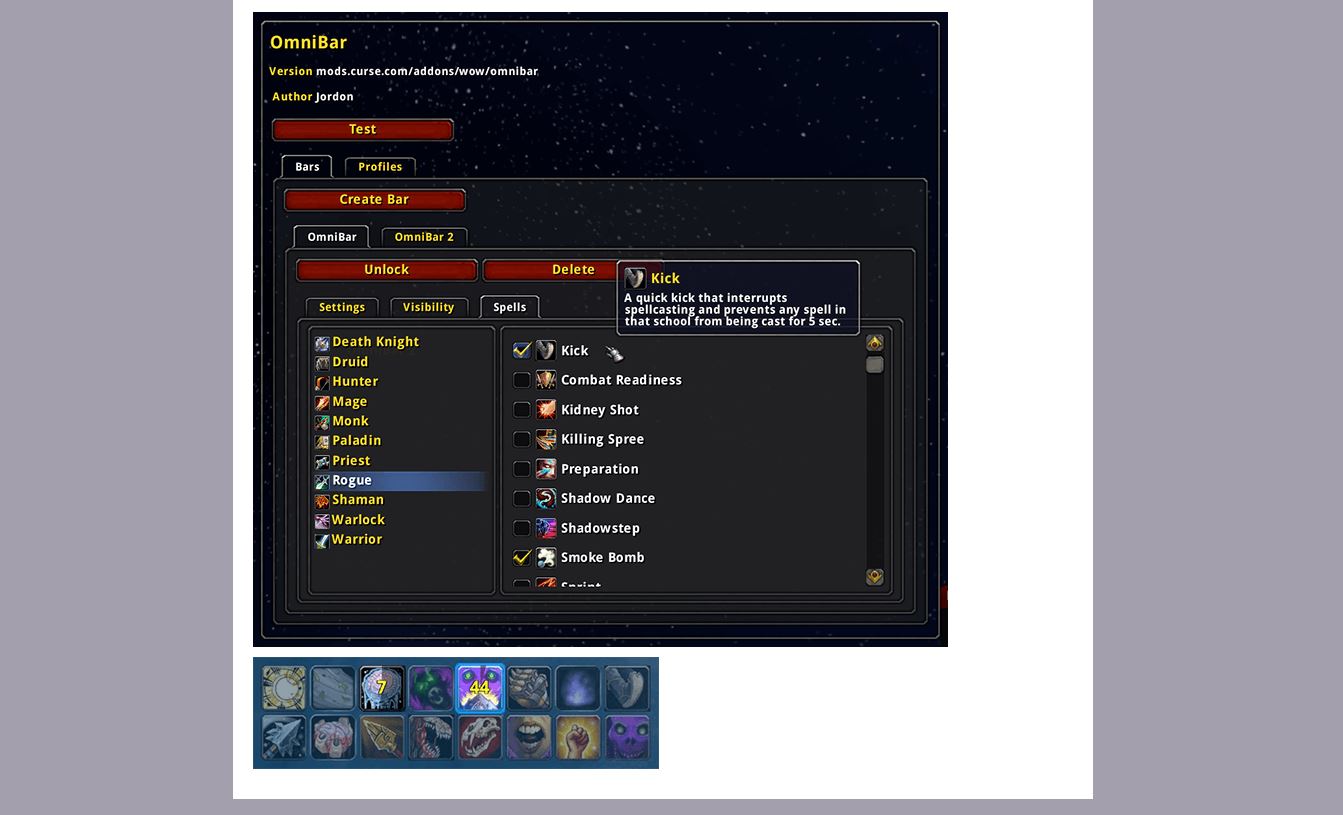
With OmniBar, you can get an overview of the cooldowns of your and your opponents' most important abilities. Icons with a timer show you which ability can be used again and when. This even works in open PvP.
You can choose which abilities of which class you want to track – which makes it clearer for certain fights by allowing you to hide unimportant ones.
- Go to OmniBar's Curse page
GladiatorlessSA2
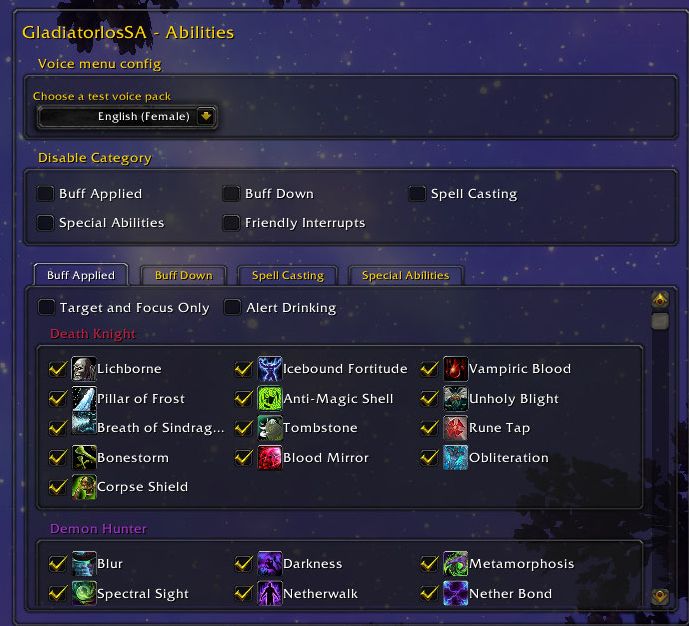
Behind the tongue twister GladiatorlosSA2 is an addon for PvP starters. GladiatorlessSA2 tells you which important abilities are currently being used by your opponents.
GladiatorlessSA2 doesn't tell you how long the abilities will take to recharge, but it will help you learn. It also helps you better deal with crowd control effects by telling you exactly what you're getting.
- Go to the Curse page of GladiatorlosSA2
Short guide in German: Installing WoW addons
Of course, to get an addon up and running, you have to install it first. There are two ways to do this: directly or through a client.
Direct installation
If you want to integrate an addon into WoW yourself, the easiest way is to visit the website Curse. Curse is the largest website for WoW modifications.
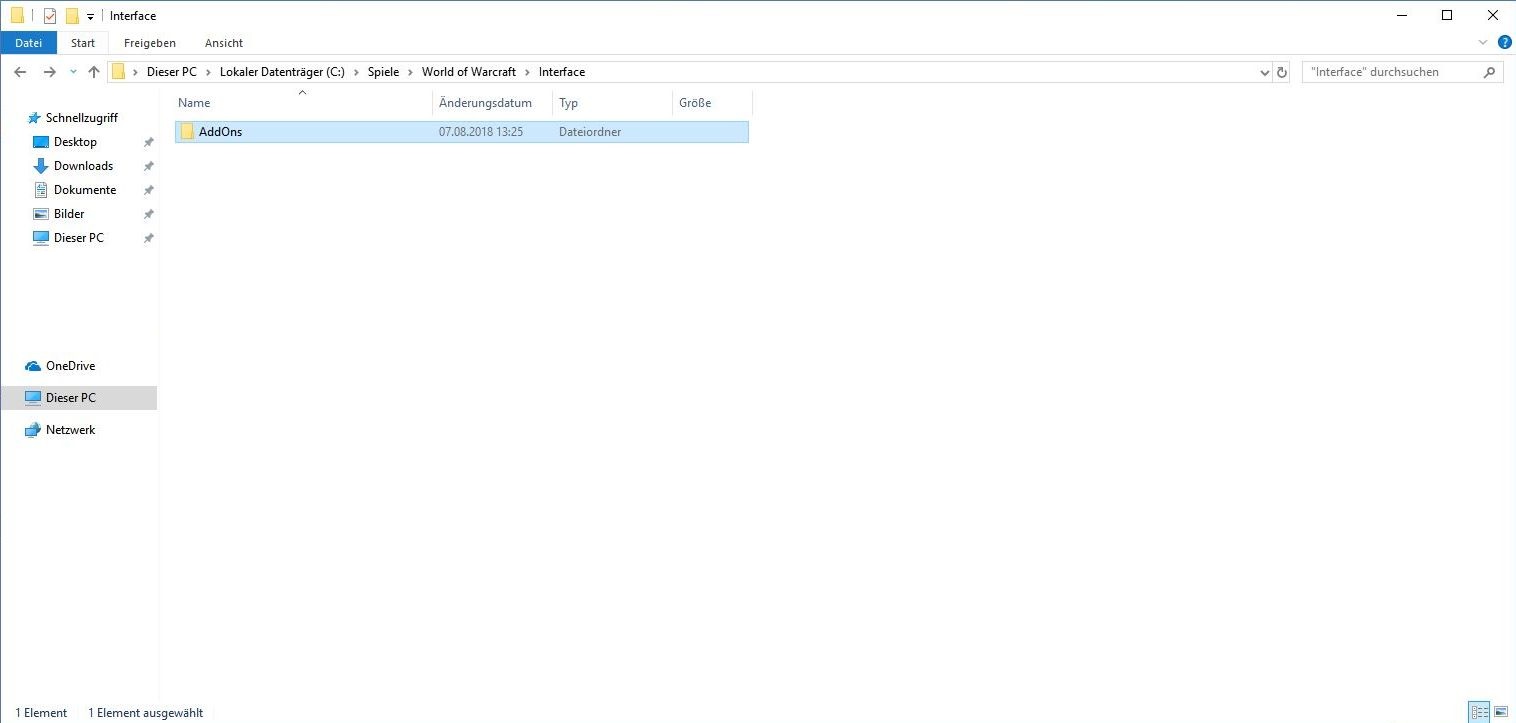
Choose an addon and download it. You will then get a .zip or .rar file that you have to unzip with the help of a program like 7zip and then have the addon in a folder of the same name. Drag this folder into the _retail_/Interface/Addons path in your WoW directory.
Installation with Overwolf and CurseForge
Curse has its own client, which you can get on the website. The CurseForge client is a bit easier to install.
The client searches for installed games and you can then simply select WoW from the selection. Make sure you choose the right partition. If you have WoW and WoW Classic installed, the correct path for Dragonflight will look something like this:
- C:\Games\World of Warcraft\_retail_\
CurseForge gives you a selection from the Retail and Classic versions as a dropdown. By clicking on Get More Addons
you will get a list of all addons from Curse. Once you've found what you want, just click on Install
. The client does the rest.

Installing Addons with WoWUp
An alternative to Overwolf is the independent client WoWUp. You can get it on the official homepage and from there you can simply download, unzip and start the file for Windows, Linux and Mac. No installation is necessary.
Like Overwolf, WoWUp also detects your WoW installation and lets you update, install and uninstall addons with a simple click.
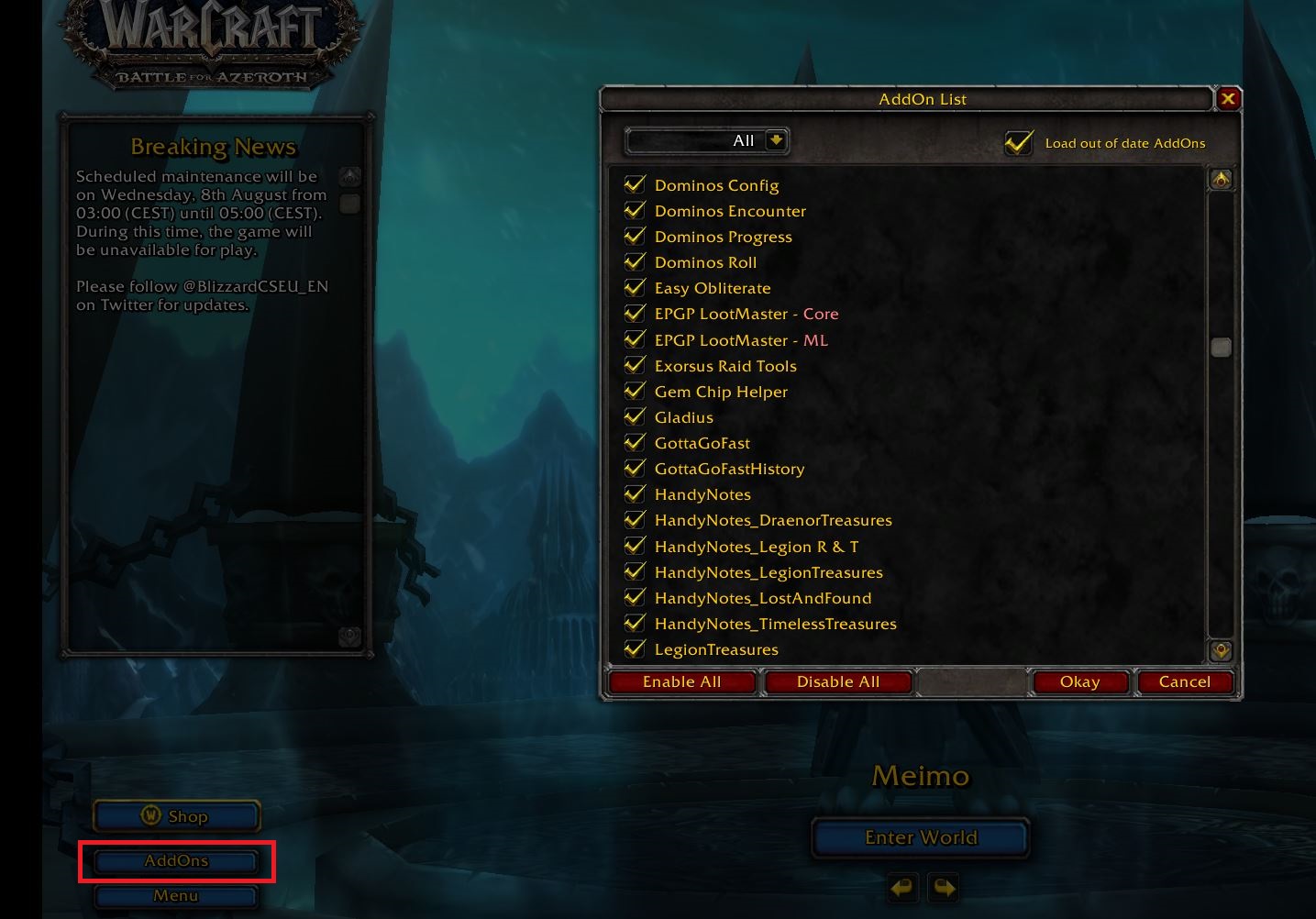
Enable addons
Once you've installed the addons, all you have to do is activate them. The next time you start WoW, you'll have the "Addon" button in the bottom left corner of the character selector. Here you select all the addons you want to activate and have them ready when you log in.
With Dragonflight, WoW is now in its ninth expansion and addons are part of the everyday life of the vast majority of players. With our tips, you'll be ready to tackle any World of Warcraft content.
Do you have any addons that you would strongly recommend?