


Верификация iGV: Каждый аккаунт, размещённый на iGV, проходит строгую проверку как при публикации объявления, так и при доставке, что гарантирует 100% подлинность. При покупке обратите внимание на значок «Верифицировано iGV» в объявлении — это подтверждает, что информация об аккаунте достоверна, а продавец прошёл проверку нашей командой.
Информация о предложении
Детали и содержимое
Рейтинг продавца
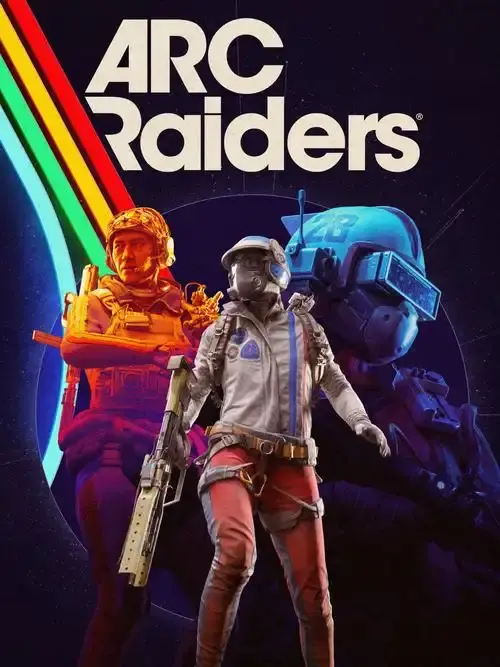
【Twitch Drops ALL-in-1】ALL 4 ITEMS! 2 Backpack Charms, 1 Appearance "Eye Band" Face Style, 1 Emote "Warm Up" ║ PS
Delivery
6 Hour
Brand
ARC Raiders
Платформа
Playstation
Категория
Others
Описание предложения
Описание продавца
【Twitch Drops ALL-in-1】ALL 4 ITEMS! 2 Backpack Charms, 1 Appearance "Eye Band" Face Style, 1 Emote "Warm Up" ║ PS
︎ BENEFITS AVAILABLE ON THESE GAME PLATFORMS ⭢ PC/Mac (Steam, Epiс Games Store, Microsoft Store), PlayStation 5, and Xbox Series X/S
After paying for the product you will soon be given by me: Twitch Account(s), after linking which you will receive in the ARC Raiders game ALL the loot listed below + the simplest Activation/Receipt Instruction, which takes only about a couple of minutes.
● C̲O̲N̲T̲E̲N̲T̲ T̲O̲ O̲B̲T̲A̲I̲N̲ (*IMPORTANT NOTE, these Twitch Drops Rewards/Items [specifically those in the form of consumables] can only be received once [as it is capped and not stacking!] per ARC Raiders game account! You will only get Twitch Drops Rewards/Items that you have not obtained previously before on your AR gaming account from your personal or any other Twitch account):
Screenshot(s)
1. 2 Backpack Charms: 1. "Bobblehead"; 2. "Vintage Mic"
2. 1 Appearance Skin: 1. "Eye Band" (Face Style)
3. 1 Emote "Warm Up"
Kindly request, please receive items to your ARC Raiders account immediately after purchase. Since the time of receipt may be limited!
ACTIVATION
Go to the Twitch website – log out of your account (this action is required only if you are in it, of course), then after find & also click the “Log In” button, enter the account credentials that you received from me in the chat and, accordingly, log in to the Twitch Account that you bought from me and from which I just gave you the data (If you are asked for a verification code from an email address, click “Remind me later”).
Next, on the Twitch, head to the “Drops & Rewards” tab /drops/inventory). In the column titled ‘Drops’ here in the inventory window, there will be a loot that is available for receiving and under or next to the loot there should be a “Claim” or "Connect" button, on which you will need to click on it.
Subsequently, this button will direct you to the official Embark Studios/ARC Raiders website page for linking this Twitch Account to your ARC Raiders Game Account, but initially it will ask you to log in to your ARC Raiders Game Account on which you want to receive the purchased loot (Twitch Drops Rewards), obviously do it and log in.
Click on the button to be redirected to authorizing access & connecting page between accounts, then press the purple “Authorize” button and thereby link the Twitch Account that you bought from me with your ARC Raiders Game Account on which you want to receive the purchased loot (Twitch Drops Rewards).
After doing all the above steps & activating and collecting Twitch Drops Rewards, you need to enter/re-enter the game to get the loot.
*It is desirable and recommended that after receiving in the game on your ARC Raiders Game Account your purchase from the offer, return to the connection(s) menu and unlink this Twitch Account.
Usually loot is delivered to the game account instantly, but sometimes there is a possibility of some delays. The accrual may take up to 24 hours or in some rare cases even a little longer. If it did not come immediately, then just simply wait!
Рейтинг продавца
Отзывы4.4
Всего заказов
4294Продано
FAQ
Как убедиться, что я покупаю настоящий аккаунт на iGV?
Как получить данные аккаунта после покупки?
После подтверждения оплаты данные аккаунта будут отправлены на ваш зарегистрированный адрес электронной почты iGV или на адрес доставки, указанный при оформлении заказа, в течение 5 минут. Вы также можете войти в свой аккаунт iGV и просмотреть информацию непосредственно в разделе «Сообщения». Если вы не получили данные в течение 5 минут, свяжитесь с продавцом через раздел «Мои заказы» или обратитесь в нашу службу поддержки клиентов.
Что делать, если после покупки возникла проблема с аккаунтом?
Шаг 1: Войдите в iGV, перейдите в «Центр заказов» и найдите соответствующий заказ.
Шаг 2: Используйте функцию «Связаться с продавцом» для решения проблемы напрямую или нажмите «Запросить возврат средств», чтобы инициировать процесс послепродажного обслуживания.
Шаг 3: У продавца есть 48 часов на ответ. Если ответ не поступит в срок, iGV автоматически обработает возврат средств для защиты ваших прав.
Шаг 4: Если продавец оспаривает возврат и проблема остаётся нерешённой, вы можете подать жалобу. Команда службы поддержки iGV проведёт расследование и обеспечит справедливый исход для каждого покупателя.