
How to Connect Discord Notifications
You can connect Discord to receive automated updates in a server channel through a webhook URL.
Step 1: Create or choose a Discord server channel
Open the Discord server where you want to receive notifications and choose the text channel you want to use.
Step 2: Create a webhook
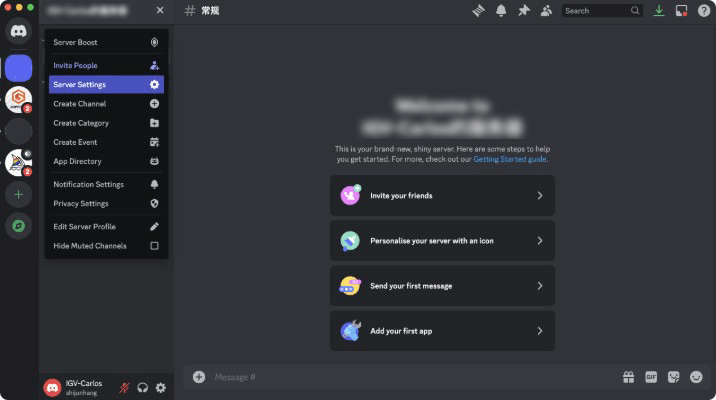
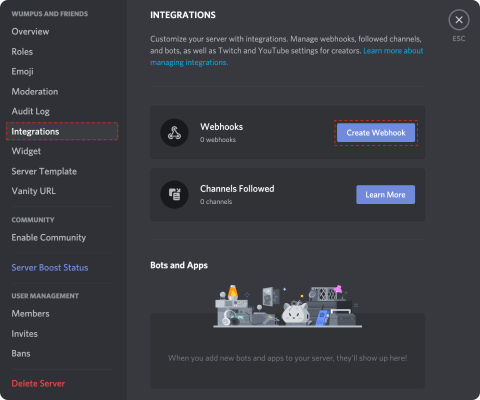
Open Server Settings > Integrations, then create a new webhook for that channel.
Step 3: Copy the webhook URL
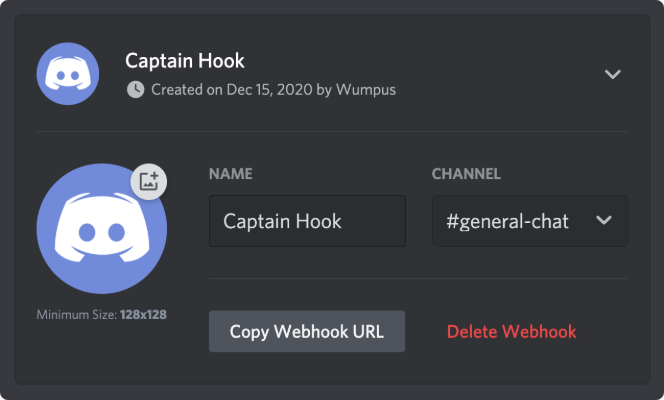
After creating the webhook, copy the webhook URL. This is the address iGVault will use to send notifications to Discord.
Step 4: Paste the URL into iGVault
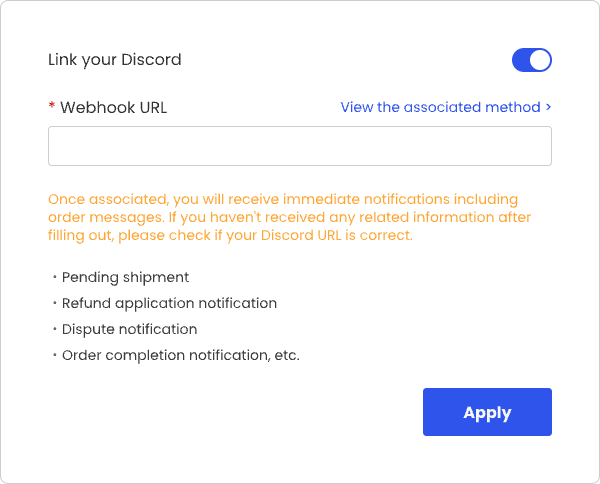
Paste the webhook URL into the Discord integration field on iGVault, select the notification type you want, and click Apply to save it.
Warning: Treat your webhook URL like a password. Anyone with the URL may be able to send messages to that channel.
Reference screenshots