


iGV Verified: Every account listed on iGV goes through a strict verification process during both listing and delivery, ensuring 100% authenticity. When purchasing, look for the "Verified" badge on the listing — this guarantees the account information is accurate and the seller has been vetted by our team.
Offer Info
Details & Assets
Seller Rating
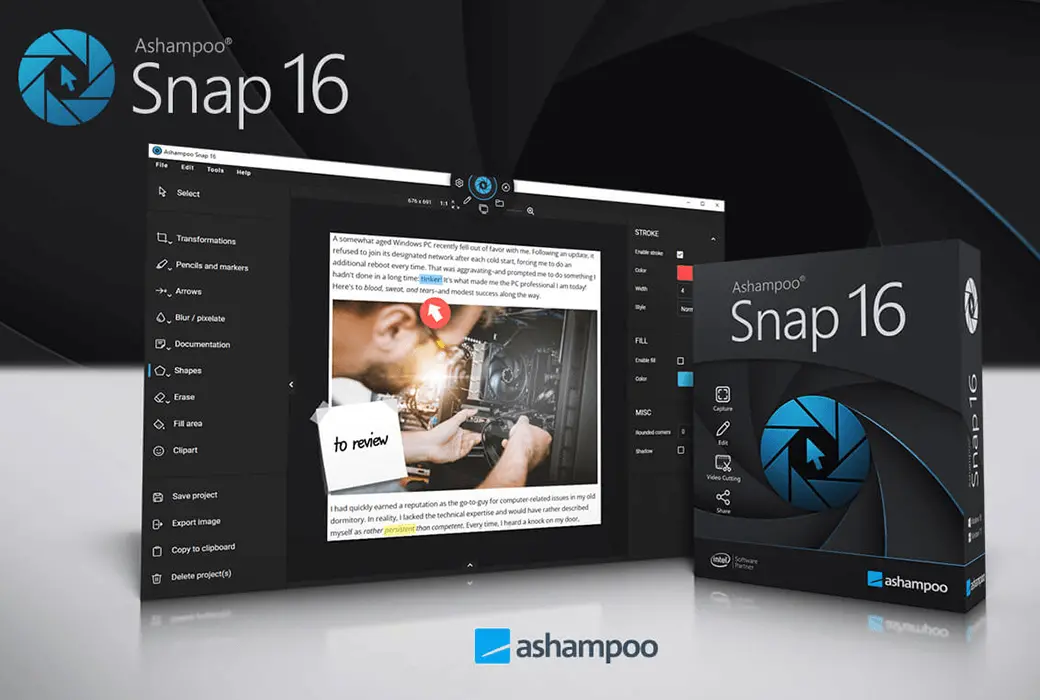
Ashampoo Snap 16, 1 PC - Windows Key (Global)
Delivery
3 Hour
Brand
Ashampoo
Category
Snap
Region
Global
Offer Description
Seller's Description
This is a lifetime license for Ashampoo Snap 16 for Windows
Multilingual support:Arabic, Bulgarian, Chinese, Czech, Danish, Dutch, English, Finnish, French, German, Greek, Hungarian, Italian, Japanese, Korean, Norwegian, Polish, Portuguese, Romanian, Rusian, Spanish, Swedish, Thai, Turksih, Ukrainian
Ashampoo Snap 16 – Smart Screen Capture and Video Recording Software for Windows
Release Date: July 2025
Developer / Publisher: Ashampoo GmbH & Co. KG
Ashampoo Snap 16 is a powerful and intuitive screen capture tool designed for professionals, educators, and content creators who need fast, precise visual documentation. Whether you're grabbing screenshots, recording tutorials, or annotating workflows, Snap 16 makes it effortless to capture, edit, and share your screen content with style and clarity.
Key Features
Instant Screen Captures Capture rectangular areas, full screens, scrolling web pages, or timed shots with just two clicks.
Real-Time Video Recording Record screen activity with live annotations—add arrows, shapes, and highlights while filming to reduce post-editing.
Advanced OCR (Optical Character Recognition) Extract editable text from screenshots in multiple languages for fast documentation and translation.
Multi-Monitor Support Capture across multiple screens with high-resolution accuracy, ideal for complex setups.
Smart Editing Tools Add comments, shapes, clipart, watermarks, and automatic numbering to enhance clarity and storytelling.
Flexible Export Options Save captures in various formats, share directly via email or cloud, or compile multiple images into a single document.
Undo-Friendly Workflow Make changes without starting over—Snap 16 allows you to revise selections and edits on the fly.
Color & Text Extraction Grab color codes and screen text instantly for design and documentation purposes.
Installation Instructions
-Download the Installer /sv-se/snap-16
-Install the Software Run the setup file and follow the on-screen instructions.
-Activate Your License Enter your product key!
Start Capturing Launch Snap 16, select your capture mode, and begin creating high-quality visuals.
Seller Rating
Reviews4.4
Total Orders
4294Sold
FAQ
How do I ensure I'm buying a real account on iGV?
How do I receive my account details after purchase?
Once your payment is confirmed, your account details will be sent to your registered iGV email address or the shipping email provided at checkout within 5 minutes. You can also log into your iGV account and view the information directly under "Messages." If you haven't received anything after 5 minutes, please contact the seller via "My Orders" or reach out to our customer support team.
What should I do if there is a problem with my account after purchase?
Step 1: Log into iGV, go to "Order Center," and locate the order in question.
Step 2: Use "Contact Seller" to resolve the issue directly, or click "Request Refund" to initiate the after-sales process.
Step 3: The seller has 48 hours to respond. If no response is received, iGV will automatically process a refund to protect your rights.
Step 4: If the seller disputes the refund and the issue remains unresolved, you may escalate by filing a dispute. iGV's customer service team will investigate and ensure a fair outcome for every buyer.