

iGV Disahkan: Setiap akaun yang disenaraikan di iGV melalui proses pengesahan yang ketat semasa penyenaraian dan penghantaran, memastikan ketulenan 100%. Semasa membeli, cari lencana "iGV Disahkan" pada penyenaraian — ini menjamin bahawa maklumat akaun adalah tepat dan penjual telah disemak oleh pasukan kami.
Maklumat tawaran
Butiran & Aset
Penilaian penjual
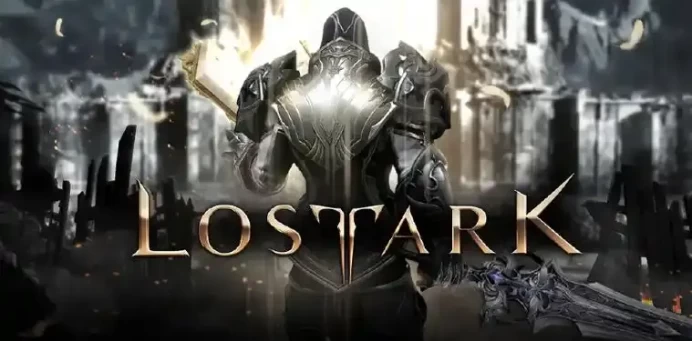
【Twitch Drops】63 ITEMS! Stones, Pets, Chests, Skins & MORE (Full List in Description) ║ PC/Mac (Steam)
Delivery
6 Hour
Brand
Lost Ark
Kategori
Boosting
Pelayan/Platform
RU>Кратос
Penerangan tawaran
Penerangan penjual
【Twitch Drops】63 ITEMS! Stones, Pets, Chests, Skins & MORE (Full List in Description) ║ PC/Mac (Steam)
︎ BENEFITS AVAILABLE ON THESE GAME PLATFORMS ⭢ PC/Mac (Steam)
After paying for the product you will soon be given by me: Twitch Account, after linking which you will receive in the Lost Ark game ALL the loot listed below + The Simplest Activation/Receipt Instruction, which takes only about a couple of minutes.
● C̲O̲N̲T̲E̲N̲T̲ T̲O̲ O̲B̲T̲A̲I̲N̲:
Screenshot
1. Chest x19: Punikan Clothing, Pixel Glasses, Honing Selection, Honing Support, Battle Items, Epic Rapport x2, Legendary Rapport x2, Honing Shard, Honing Leapstone, Petit Saydon Pet Chest, Beer Headwear Chests, New Halo Selection, Winter Chamkuri 2. Stones x2: Protection, Obliteration 3. Pack: Pheon 4. The Witcher Mokoko Skin 5. Anniversary Headband 6. Brave Vivi Pet 7. June Bloom Surprise 8. Amethyst Shards x3 (x3,000) 9. Fruit Dragon Skin 10. Pixel Glasses 11. Swim Cap & Goggles 12. Halloween Candy Bag 13. Pheons x30
Kindly request, please receive items to your Lost Ark account immediately after purchase. Since the time of receipt may be limited!
ACTIVATION
Go to the Twitch website – log out of your account (this action is required only if you are in it, of course), then after find & also click the "Log In" button, enter the account credentials that you received from me in the chat and, accordingly, log in to the Twitch Account that you bought from me and from which I just gave you the data (If you are asked for a verification code from an email address, click "Remind me later").
Next, follow this link to the official Lost Ark website – this link will direct you to the page for linking this Twitch Account to your Lost Ark Game Account.
In the column titled '1 SIGN IN WITH YOUR TWITCH ACCOUNT' click on the "SIGN IN WITH TWITCH" button to be redirected to , then press the purple “Authorize” button.
In the column titled '2 LINK ACCOUNTS' click on the "SIGN IN WITH STEAM" to be redirected to Steam. It will ask you to log in to your Steam/Lost Ark Game Account on which you want to receive the purchased loot (Twitch Drops Rewards), obviously do it and log in & thereby link the Twitch Account that you bought from me with your Lost Ark Game Account on which you want to receive the purchased loot (Twitch Drops Rewards).
Subsequently, in the column titled '3 ACTIVATE TWITCH DROPS FOR LOST ARK' here, first click on "CHECK FOR CLAIMED DROPS" and finally press the last button "ACTIVATE".
After doing all the above steps & activating and collecting Twitch Drops Rewards, you need to enter/re-enter the game to get the loot.
*It is desirable and recommended that after receiving the item(s) in the game on your Steam/Lost Ark Game Account, return to the connection(s) menu here by following the link – and unlink your Steam Account from this Twitch Account.
Usually loot is delivered to the game account instantly, but sometimes there is a possibility of some delays. The accrual may take up to 24 hours or in some rare cases even a little longer. If it did not come immediately, then just simply wait!
ᴀᴄᴄᴏᴜɴᴛ/ᴄᴏᴅᴇ ᴏɴʟʏ ꜰᴏʀ ᴛʜᴇ ʀᴇᴡᴀʀᴅ(ꜱ) ᴛʜᴀᴛ ɪꜱ ɪɴᴅɪᴄᴀᴛᴇᴅ ɪɴ ᴛʜᴇ ᴘʀᴏᴅᴜᴄᴛ ᴏꜰꜰᴇʀ ɴᴀᴍᴇ! ʟᴏᴏᴛ ꜰᴏʀ ᴏᴛʜᴇʀ ɢᴀᴍᴇꜱ ɪꜱ ɴᴏᴛ ɢᴜᴀʀᴀɴᴛᴇᴇᴅ!
ꜰᴏʀ ᴏɴᴇ ɢᴀᴍᴇ ᴀᴄᴄᴏᴜɴᴛ/ᴄᴏᴅᴇ ʏᴏᴜ ᴄᴀɴ ᴏɴʟʏ ʀᴇᴄᴇɪᴠᴇ ᴛʜɪꜱ ᴘᴀʀᴛɪᴄᴜʟᴀʀ ʙᴏɴᴜꜱ(ᴇꜱ) ᴏɴᴄᴇ!
Penilaian penjual
Ulasan4.4
Jumlah pesanan
4294Terjual
FAQ
Bagaimana saya boleh memastikan saya membeli akaun yang tulen di iGV?
Bagaimana saya menerima butiran akaun selepas pembelian?
Setelah pembayaran disahkan, butiran akaun anda akan dihantar ke alamat e-mel iGV yang berdaftar atau e-mel penghantaran yang diberikan semasa daftar keluar dalam masa 5 minit. Anda juga boleh log masuk ke akaun iGV anda dan melihat maklumat terus di bawah "Mesej". Jika anda masih belum menerima apa-apa selepas 5 minit, sila hubungi penjual melalui "Pesanan Saya" atau hubungi pasukan sokongan pelanggan kami.
Apa yang perlu saya lakukan jika terdapat masalah dengan akaun saya selepas pembelian?
Langkah 1: Log masuk ke iGV, pergi ke "Pusat Pesanan" dan cari pesanan yang berkenaan.
Langkah 2: Gunakan "Hubungi Penjual" untuk menyelesaikan masalah secara terus, atau klik "Minta Bayaran Balik" untuk memulakan proses selepas jualan.
Langkah 3: Penjual mempunyai 48 jam untuk memberi respons. Jika tiada respons diterima, iGV akan memproses bayaran balik secara automatik untuk melindungi hak anda.
Langkah 4: Jika penjual membantah bayaran balik dan masalah masih belum selesai, anda boleh membuat peningkatan dengan memfailkan pertikaian. Pasukan perkhidmatan pelanggan iGV akan menyiasat dan memastikan hasil yang adil bagi setiap pembeli.