
FC Coins Delivery: How to Get Backup Codes
Backup codes are required for FC Coins delivery. You can find them from your EA security settings at EA Account Security Settings.
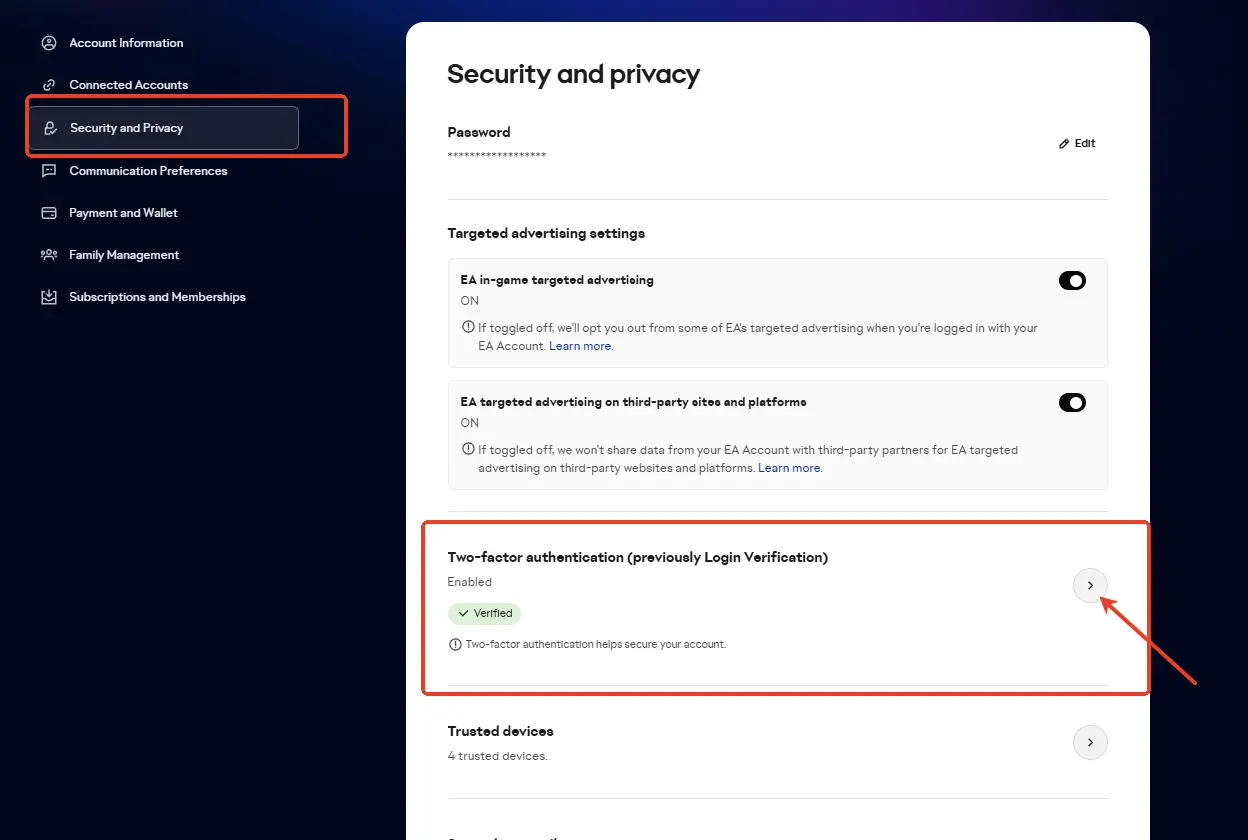
Step 1: Sign in to your EA Account
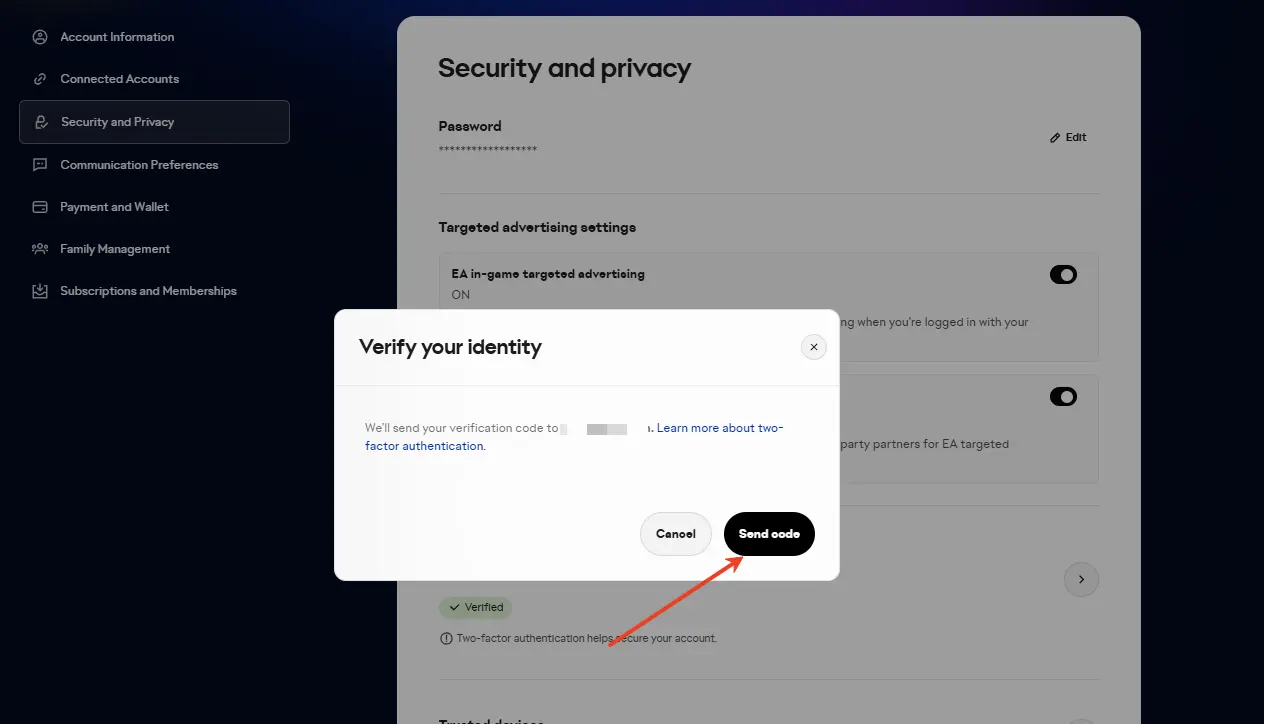
Open the EA Account security page and complete any identity verification required by EA.
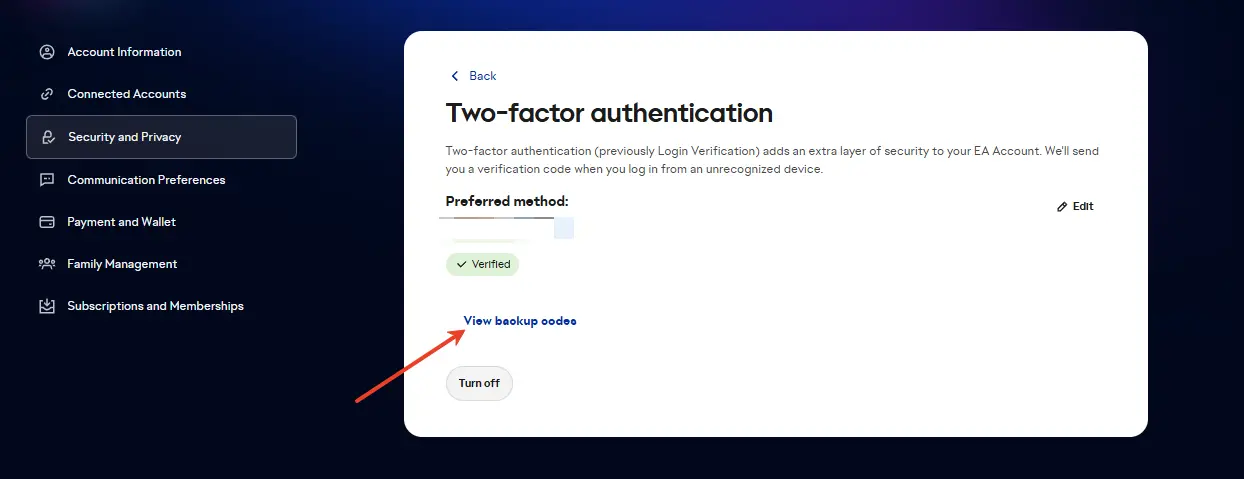
Step 2: Open Two-Factor Authentication
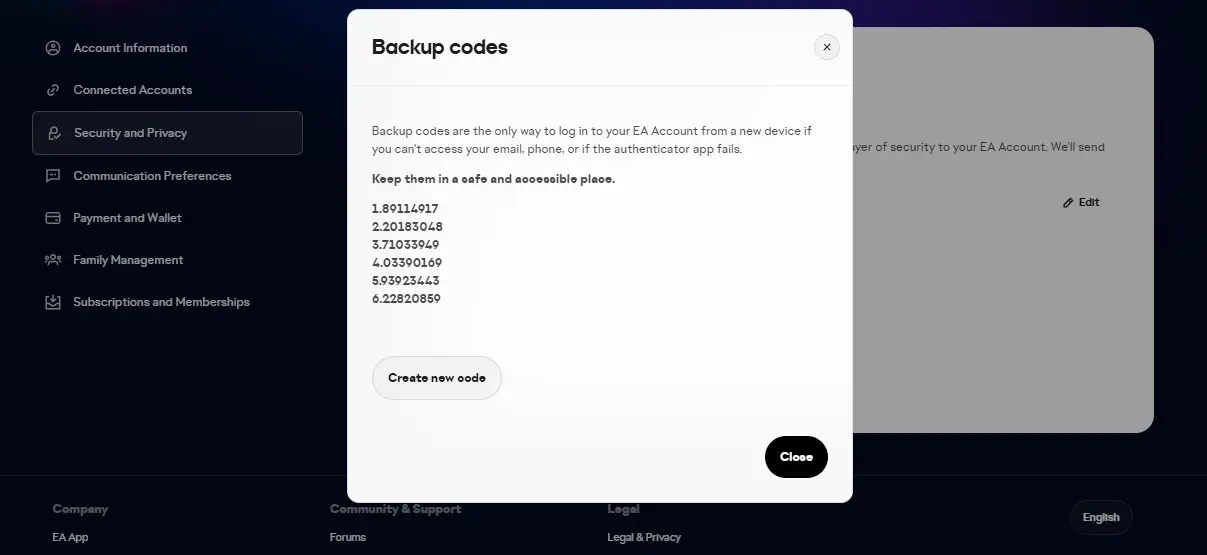
Go to Security or Two-Factor Authentication and view your backup codes.
Step 3: Save three unused codes
- Record any three unused backup codes and provide them exactly as shown.
- If a code is already marked as used, do not send that one.
Step 4: Generate new codes if needed
If most of your codes have already been used, generate a fresh set and save three new unused codes.
Tip: Send backup codes exactly as shown by EA. A wrong or already-used code can delay delivery.
Reference screenshots